YouTube Video Analyzer
Analyze any YouTube video's SEO performance — get an SEO score, engagement insights, and actionable recommendations to improve title, description, and tags.
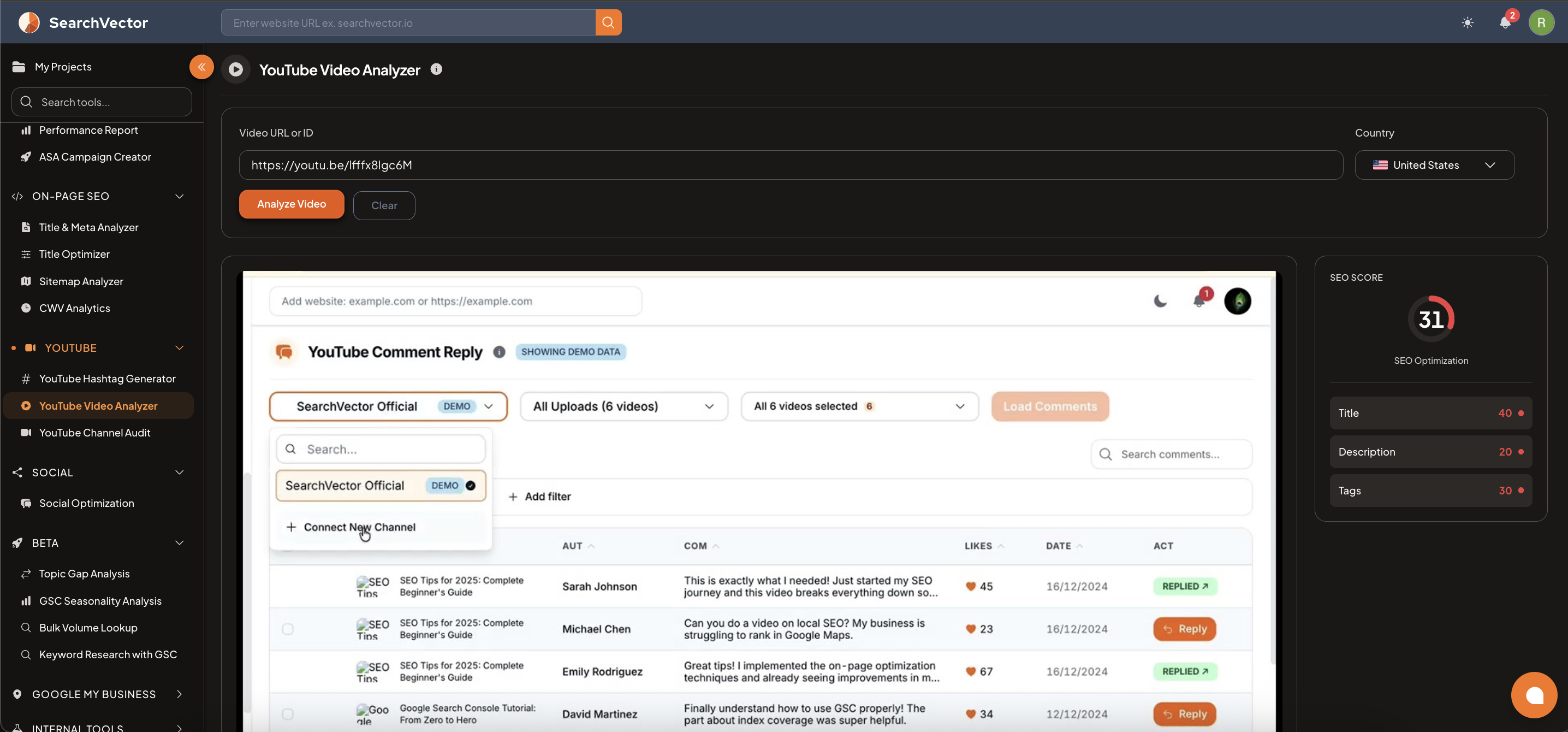
How to open
From the left sidebar, go to YouTube → YouTube Video Analyzer.
How to use
- Paste a Video URL or ID in the input field (e.g.,
https://youtu.be/abc123). - Select a Country from the dropdown (default: United States).
- Click Analyze Video.
SEO Score
The right panel shows an SEO Score (0–100) broken into three components:
| Component | Description |
|---|---|
| Title | Score based on title length, keyword placement, and character count |
| Description | Score based on description length and content quality |
| Tags | Score based on number of tags and relevance |
Analysis tabs
| Tab | What it shows |
|---|---|
| Insights | Actionable recommendations for improving the video's SEO |
| Description | Full video description analysis |
| Content | Video content and engagement details |
Insights tab
The Insights tab shows color-coded recommendations:
| Color | Type | Example |
|---|---|---|
| Red | Issue needing fix | "Title is too short — aim for 60–70 characters" |
| Orange | Warning | "Need more tags — add 10 more tags, aim for 10–15" |
| Green | Good signal | "Excellent engagement rate — 53.12 comments per 1K views" |
| Blue | Suggestion | "No links in description — add website or social links" |
Video metrics
| Metric | Description |
|---|---|
| Total Views | Total view count for the video |
| Likes | Total likes received |
| Comments | Total comments on the video |
| Engagement Rate | Comments + Likes per 1K views |
Best practices
- Aim for 60–70 characters in the title.
- Write a description of at least 250 words with your primary keyword in the first 2 sentences.
- Use 10–15 tags covering your main keyword, related keywords, and channel topic.
- Add links in the description to drive traffic back to your site.
tip
Fix the title and tags on videos that already have views — small SEO improvements on existing videos can compound quickly.