Integrations
Connect your analytics, advertising, social, and local business accounts to SearchVector — all your data in one place.
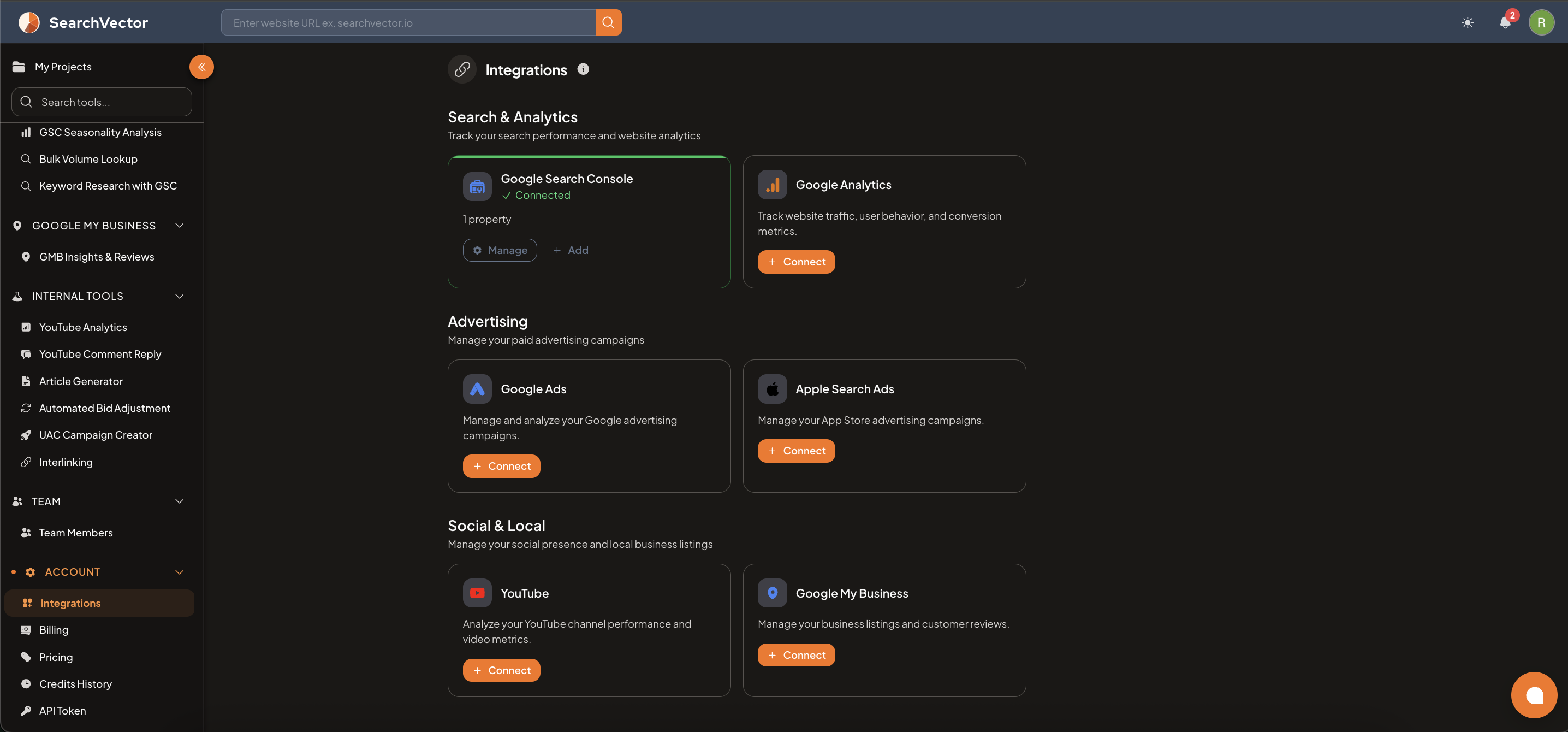
How to open
From the left sidebar, go to Account → Integrations.
Available integrations
Search & Analytics
| Integration | Description |
|---|---|
| Google Search Console | Track search performance — clicks, impressions, CTR, and position. Required for GSC-based tools. |
| Google Analytics | Track website traffic, user behavior, and conversion metrics. |
Advertising
| Integration | Description |
|---|---|
| Google Ads | Manage and analyze your Google advertising campaigns — Campaign Overview, Insights, and GAQL tools. |
| Apple Search Ads | Manage your App Store advertising campaigns — Performance Report and ASA Campaign Creator. |
Social & Local
| Integration | Description |
|---|---|
| YouTube | Analyze your YouTube channel performance — Video Analyzer, Channel Audit, Comment Reply. |
| Google My Business | Track your Google Business Profile performance — views, searches, calls, and reviews. |
Connecting an integration
- Go to Account → Integrations.
- Find the integration card you want to connect.
- Click the + Connect button.
- You will be redirected to authorize via OAuth.
- Grant the requested permissions — SearchVector uses read-only access where possible.
For Google Search Console (if already connected):
- Click Manage to view or update connected properties.
- Click + Add to connect an additional property.
note
All integrations use secure OAuth authentication. SearchVector never stores your account credentials.