Billing & Subscription
View your current plan, track credit usage, and upgrade to unlock more features and higher limits.
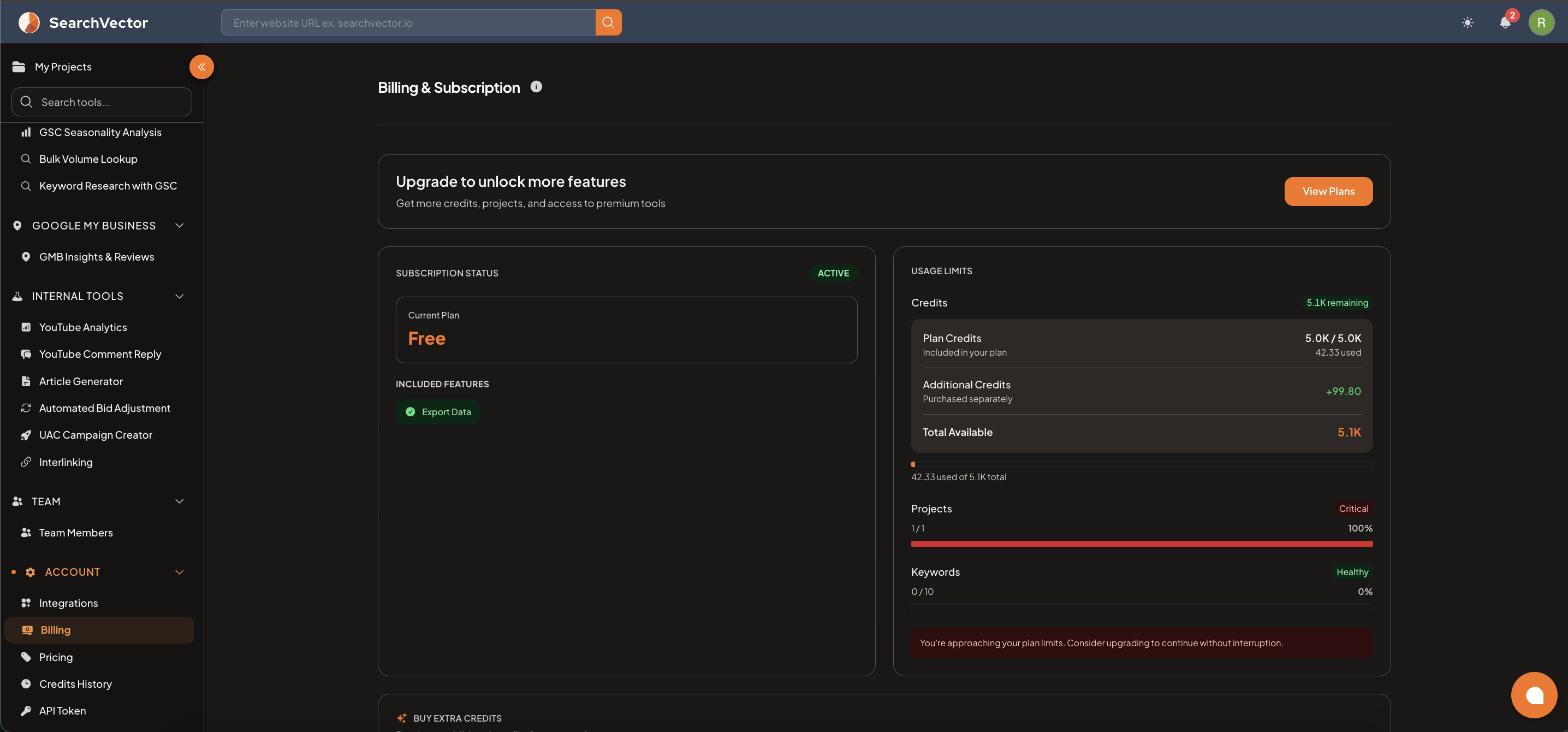
How to open
From the left sidebar, go to Account → Billing.
Subscription status
Shows your current plan and status:
| Field | Description |
|---|---|
| Subscription Status | ACTIVE or INACTIVE |
| Current Plan | Your active plan (Free, Pro, Growth, or Custom) |
| Included Features | Features available on your current plan (e.g., Export Data) |
Usage limits
Track your usage in real time:
| Metric | Description |
|---|---|
| Credits | Remaining credits this billing cycle |
| Plan Credits | Credits included in your plan (e.g., 5.0K / 5.0K used) |
| Additional Credits | Extra credits purchased separately |
| Total Available | Plan credits + additional credits combined |
| Projects | Number of projects used vs your plan limit |
| Keywords | Number of keywords tracked vs your plan limit |
Status indicators:
- Healthy — usage is within normal range
- Critical — at or near your plan limit
Upgrade plan
Click View Plans or Upgrade to unlock more features to see all available plans and upgrade your subscription.
Buy extra credits
Scroll to the Buy Extra Credits section to purchase additional credits without upgrading your full plan.
Plans
| Plan | Price | Credits | Projects | Keywords | Team |
|---|---|---|---|---|---|
| Free | $0/month | 5,000 | 1 | 10 | 1 member |
| Pro | $29/month | 100,000 | 2 | 100 | 3 members |
| Growth | $99/month | 500,000 | 15 | 1,000 | 10 members |
| Custom | Let's Talk | Custom | Unlimited | Unlimited | Unlimited |
tip
If your Projects counter shows Critical, you've used all your available project slots. Upgrade your plan or remove an unused project to add a new one.