Live SERP Rank Tracker
Check real-time search engine rankings for any keyword — see exactly who ranks where on Google right now, including Organic Results, Related Searches, and People Also Ask.
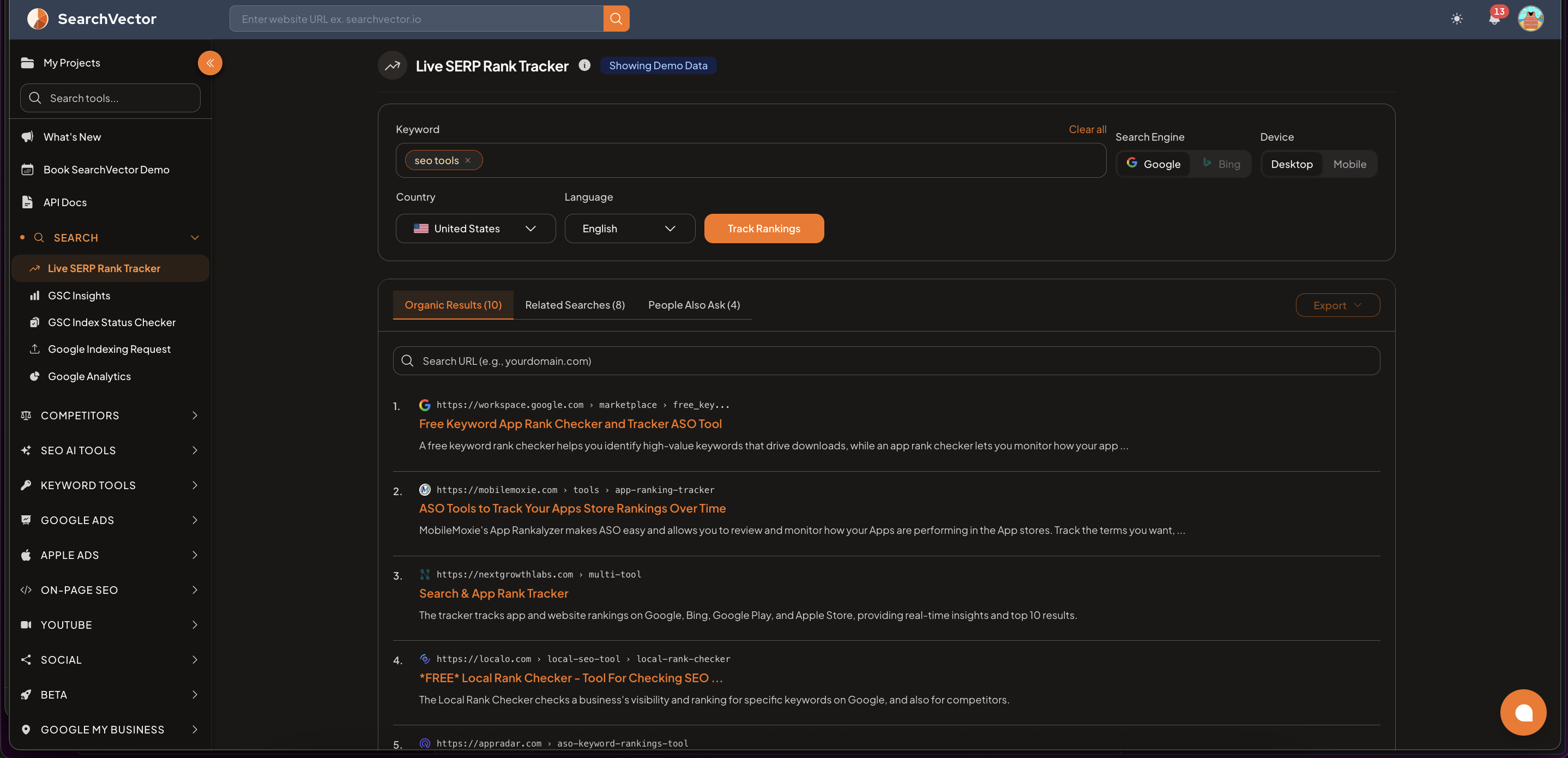
How to use
- From the left sidebar, go to Search → Live SERP Rank Tracker.
- Enter one or more keywords in the Keyword field.
- Select your preferred settings.
- Click Track Rankings.
Input options
| Setting | Options |
|---|---|
| Keyword | Enter multiple keywords — each appears as a removable tag |
| Search Engine | |
| Device | Desktop / Mobile |
| Country | Select any country (e.g., United States, India) |
| Language | Select language (e.g., English) |
Results tabs
After clicking Track Rankings, results are shown in three tabs:
| Tab | What it shows |
|---|---|
| Organic Results | The top 10 organic search results for your keyword |
| Related Searches | Keywords Google suggests related to your query |
| People Also Ask | Questions Google surfaces in the PAA box |
Each organic result shows:
- Position number
- Page URL
- Page title
- Meta description snippet
Export
Click Export (top-right of results) to download the SERP results as CSV.
Use cases
| Use case | How to use |
|---|---|
| Check your ranking | Enter keyword → see your position in organic results |
| Spy on competitors | See who ranks in top 10 for your target keywords |
| Find content ideas | Check Related Searches and People Also Ask for content angles |
| Check mobile vs desktop | Toggle Device to compare mobile and desktop SERPs |
tip
Use Mobile device setting to check rankings as Google's mobile-first indexing sees them — mobile rankings can differ significantly from desktop.