Google Ads Campaign Overview
Monitor all your Google Ads campaigns in one place — total spend, clicks, conversions, CPC, impressions, CTR, and conversion rate across all active campaigns.
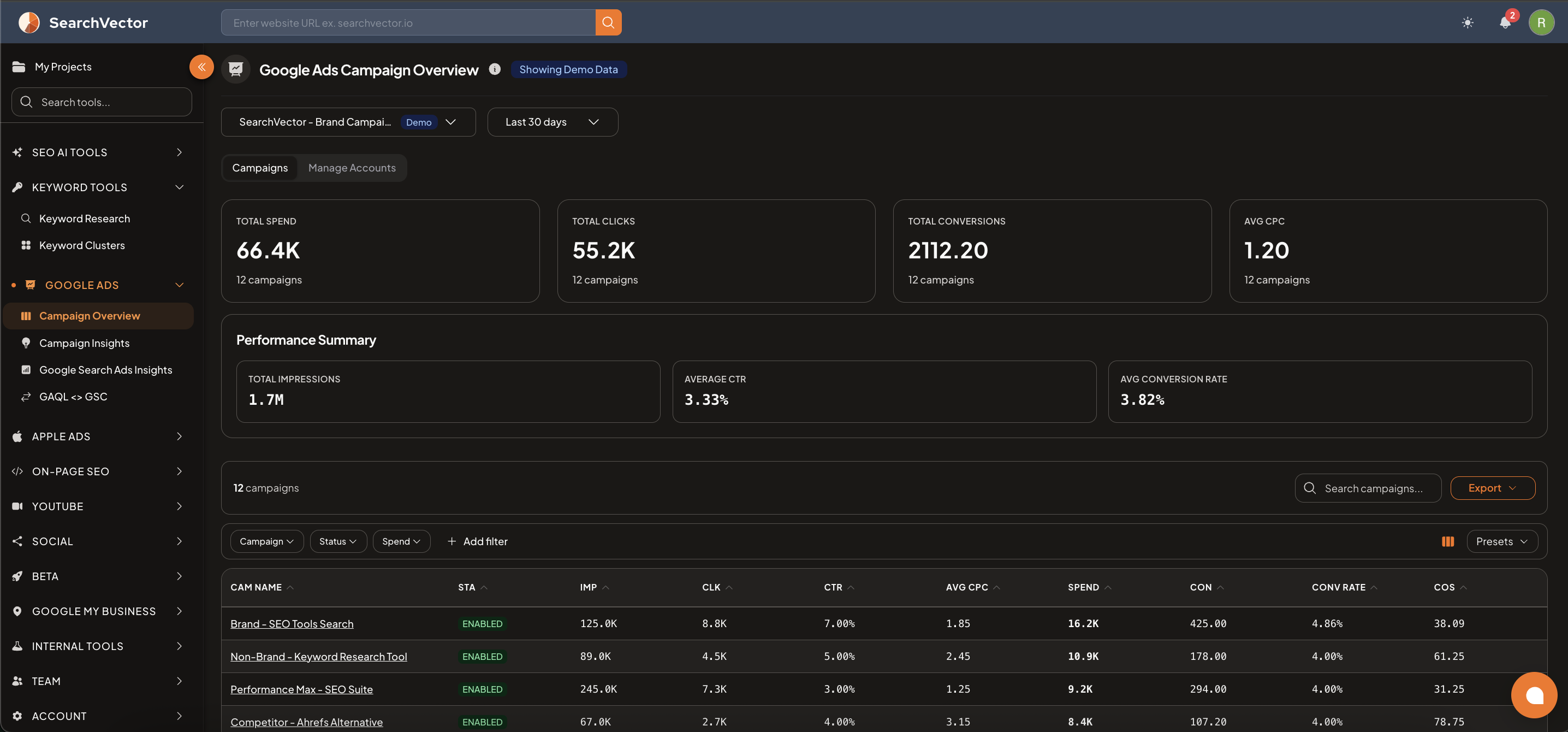
How to open
From the left sidebar, go to Google Ads → Campaign Overview.
Select your ad account from the dropdown and choose a date range (default: Last 30 days).
Summary metrics
At the top, 4 cards show account-level totals:
| Metric | Description |
|---|---|
| Total Spend | Total amount spent across all campaigns |
| Total Clicks | Total clicks received across all campaigns |
| Total Conversions | Total conversions tracked |
| Avg CPC | Average cost per click across all campaigns |
Performance Summary
Below the cards, 3 additional metrics are shown:
| Metric | Description |
|---|---|
| Total Impressions | How many times your ads were shown |
| Average CTR | Click-through rate across all campaigns |
| Avg Conversion Rate | Percentage of clicks that converted |
Campaigns table
The table shows each campaign with:
| Column | Description |
|---|---|
| CAM NAME | Campaign name |
| STA | Status (ENABLED / PAUSED) |
| IMP | Impressions |
| CLK | Clicks |
| CTR | Click-through rate |
| AVG CPC | Average cost per click |
| SPEND | Total spend for this campaign |
| CON | Conversions |
| CONV RATE | Conversion rate |
| COS | Cost of sale |
Filters
Filter campaigns by:
- Campaign — search by campaign name
- Status — ENABLED / PAUSED
- Spend — filter by spend range
- + Add filter — add more filters
Use Presets to save common filter configurations. Click Export to download as CSV.
Manage Accounts tab
Switch to the Manage Accounts tab to:
- View all connected Google Ads accounts
- Add or remove ad accounts
- Connect a new Google Ads account