YouTube Channel Audit
Audit your YouTube channel's performance — analyze content strategy, view distribution, video metrics, and top keywords across all your recent and popular videos.
How to open
From the left sidebar, go to YouTube → YouTube Channel Audit.
How to use
- Connect your YouTube account via Account → Integrations (or use Demo data).
- Your channel stats and videos load automatically.
Channel metrics
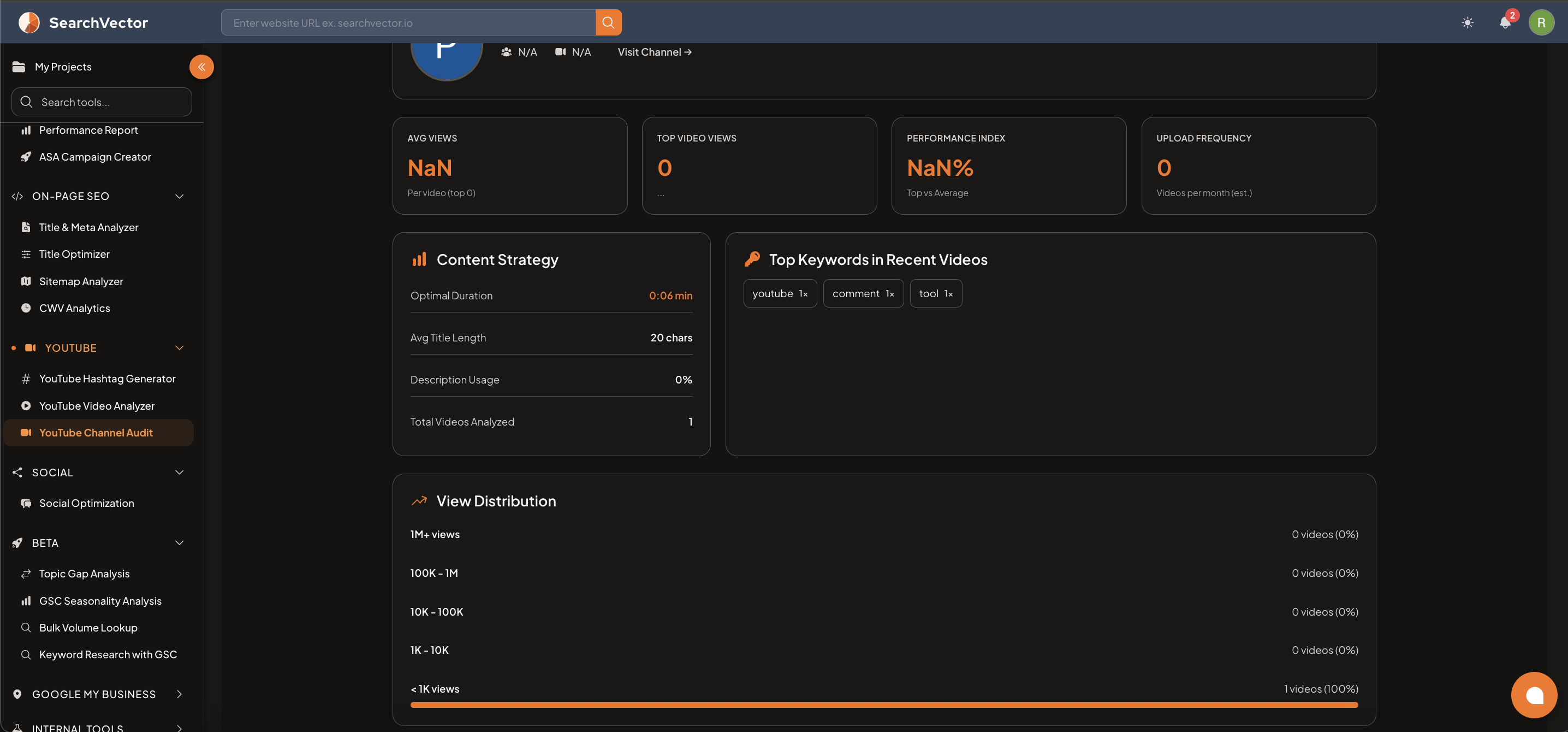
4 summary cards show channel-level performance:
| Metric | Description |
|---|---|
| Avg Views | Average views per video (top videos) |
| Top Video Views | Views on your best-performing video |
| Performance Index | Ratio of top video views vs channel average |
| Upload Frequency | Estimated videos per month |
Content Strategy panel
| Metric | Description |
|---|---|
| Optimal Duration | Average video duration for best-performing videos |
| Avg Title Length | Average character count across video titles |
| Description Usage | % of videos that have descriptions |
| Total Videos Analyzed | Number of videos included in this audit |
Top Keywords in Recent Videos
Keyword tags extracted from your recent video titles and descriptions — shown with frequency count.
View Distribution
Shows how your videos are spread across view ranges:
| Range | Videos |
|---|---|
| 1M+ views | x videos (x%) |
| 100K – 1M | x videos (x%) |
| 10K – 100K | x videos (x%) |
| 1K – 10K | x videos (x%) |
| < 1K views | x videos (x%) |
Videos tables
Two separate tables:
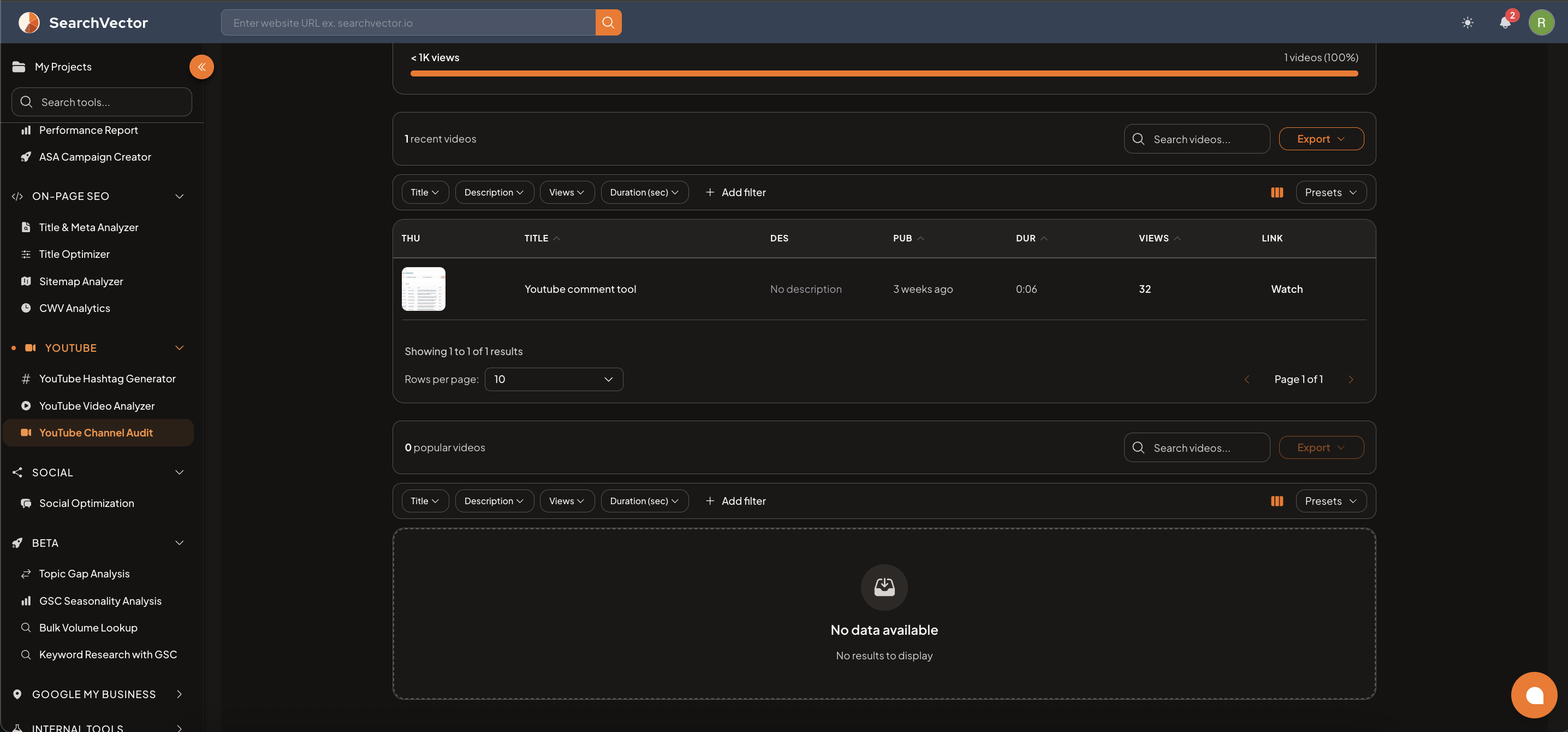
- Recent Videos — your most recently published videos
- Popular Videos — your highest-viewed videos
Video table columns
| Column | Description |
|---|---|
| THU | Video thumbnail |
| TITLE | Video title |
| DES | Description preview (or "No description") |
| PUB | Published date (relative, e.g., "3 weeks ago") |
| DUR | Video duration |
| VIEWS | Total view count |
| LINK | Watch link to open the video on YouTube |
Filters and export
Filter by Title, Description, Views, Duration, and more. Use Presets to save filters. Click Export to download.
Focus on videos in the "< 1K views" bucket — if they have good content but low views, improving their titles, descriptions, and tags using YouTube Video Analyzer can significantly boost their reach.