Title Optimizer Beta
Run A/B experiments on your page titles to find which variant drives the highest click-through rate — powered by AI and connected to your WordPress site.
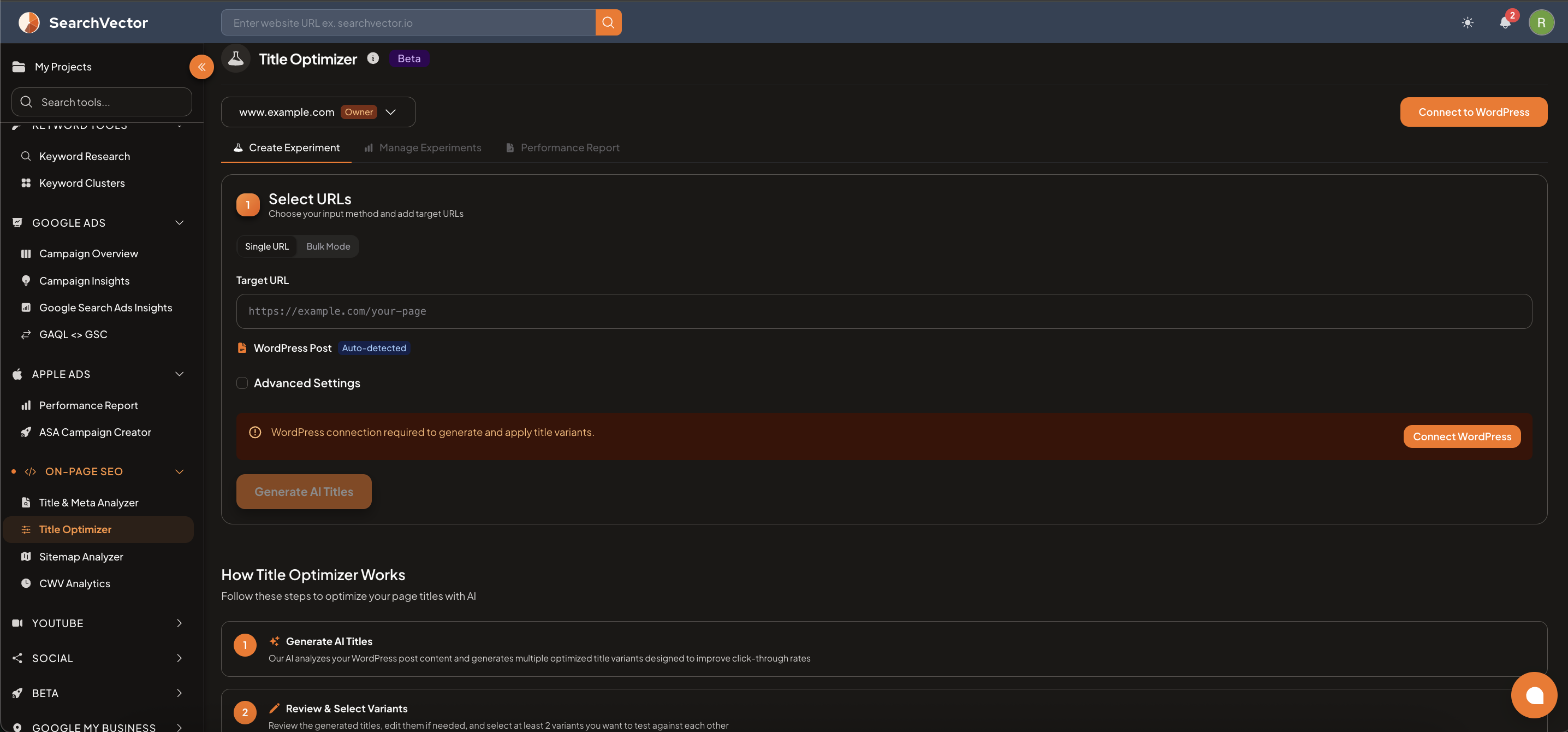
Requirements
- WordPress connection required — the tool generates and applies title variants directly to your WordPress posts.
- Connect WordPress from the Connect to WordPress button in the top-right corner of the tool.
How to open
From the left sidebar, go to On-Page SEO → Title Optimizer.
Tabs
| Tab | What it does |
|---|---|
| Create Experiment | Set up a new A/B title test for a URL |
| Manage Experiments | View, pause, or stop existing experiments |
| Performance Report | See results and winner data from completed experiments |
Creating an experiment
Step 1: Select URL
Choose between:
- Single URL — test one specific page
- Bulk Mode — run experiments across multiple pages at once
Enter your Target URL. SearchVector will auto-detect the WordPress Post linked to that URL.
Step 2: Generate AI Titles
Click Generate AI Titles — the AI analyzes your WordPress post content and generates multiple optimized title variants designed to improve click-through rate.
注記
The Generate AI Titles button is only available after WordPress is connected.
Step 3: Review and select variants
- Review the generated titles and edit them if needed.
- Select at least 2 variants to test against each other.
- SearchVector will rotate the variants and track CTR performance in Search Console.
How Title Optimizer works
- Generate AI Titles — AI analyzes your WordPress post and generates multiple optimized title variants.
- Review & Select Variants — pick at least 2 variants to include in the A/B test.
- Run the Experiment — SearchVector rotates the variants and collects performance data.
- View Results — see which title drives the highest CTR and apply the winner permanently.
ヒント
Titles with numbers (e.g., "7 Ways to...") and question formats tend to get higher click-through rates. Let the AI generate several options and test 2–3 at a time.