Keyword Research with GSC
Discover keyword ideas and overlay real Google Search Console performance data — find new keyword opportunities while seeing how you currently rank for related terms.
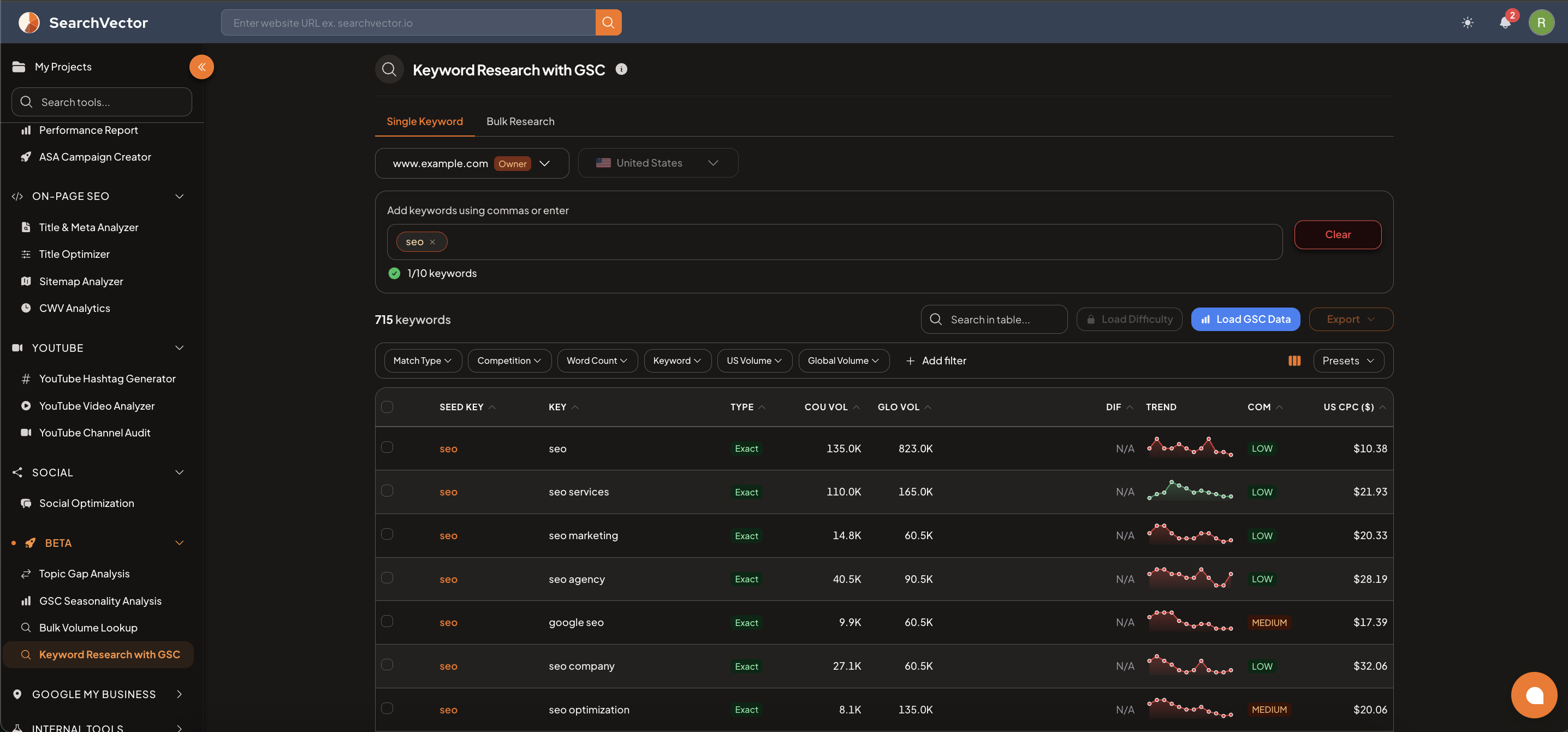
How to open
From the left sidebar, go to Beta → Keyword Research with GSC.
How to use
Modes
| Tab | How it works |
|---|---|
| Single Keyword | Enter up to 10 seed keywords to generate keyword ideas |
| Bulk Research | Upload or paste a large list of keywords for bulk analysis |
Steps
- Select your domain and country.
- Enter your seed keywords (comma-separated or press Enter after each) — up to 10 keywords in Single Keyword mode.
- Results load automatically — showing related keywords with volume, difficulty, and CPC.
Results table
| Column | Description |
|---|---|
| SEED KEY | The seed keyword you entered |
| KEY | The suggested related keyword |
| TYPE | Match type — Exact, Phrase, or Broad |
| COU VOL | Country-level search volume |
| GLO VOL | Global search volume |
| DIF | Keyword difficulty score |
| TREND | Sparkline showing volume trend |
| COM | Competition level — LOW / MEDIUM / HIGH |
| US CPC ($) | Average cost per click in the US |
Enriching results
- Load Difficulty — fetches difficulty scores for all keywords in the table.
- Load GSC Data — overlays your actual GSC impressions, clicks, and position for matching keywords, so you can see which terms you already rank for and which are opportunities.
Filters and export
Filter by Match Type, Competition, Word Count, Keyword, US Volume, Global Volume, and more. Click Export to download as CSV.
ヒント
After loading GSC data, sort by GLO VOL (high) and filter for keywords where your GSC position is 11–20 — these are "page 2" rankings that can move to page 1 with targeted content updates.