Google My Business
Track your Google Business Profile performance — views, searches, actions, calls, direction requests, and photo views — all in one dashboard.
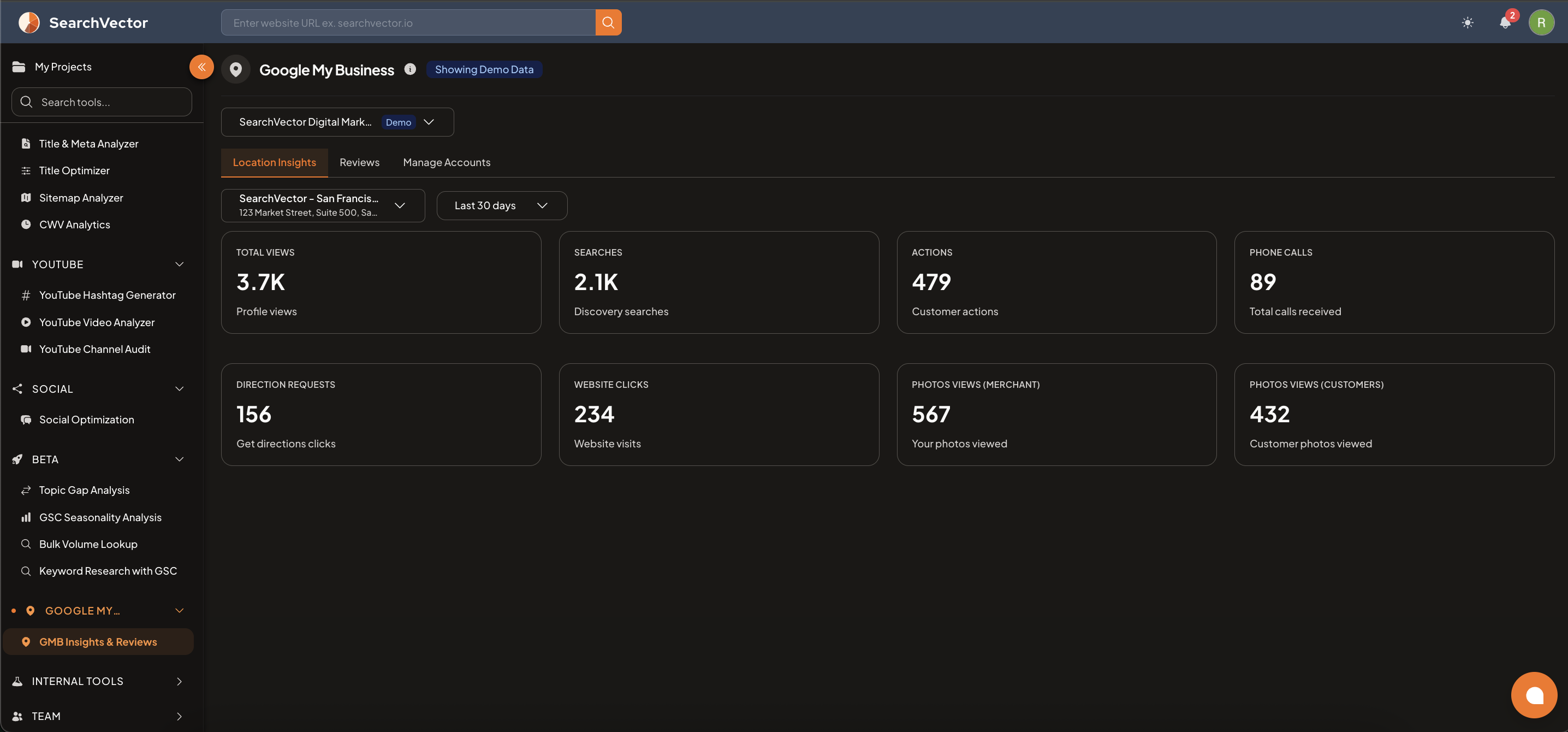
How to open
From the left sidebar, go to Google My Business → GMB Insights & Reviews.
Tabs
| Tab | What it shows |
|---|---|
| Location Insights | Performance metrics for your business location |
| Reviews | Customer reviews and review management |
| Manage Accounts | Connect and manage multiple Google Business profiles |
Location Insights metrics
Select your business location and date range (default: Last 30 days) to view:
| Metric | Description |
|---|---|
| Total Views | How many times your Business Profile was viewed |
| Searches | Discovery searches — people who found you searching for a category or product |
| Actions | Total customer actions (calls + directions + website clicks) |
| Phone Calls | Total calls received through your profile |
| Direction Requests | How many people clicked "Get Directions" |
| Website Clicks | Visits to your website from your Google profile |
| Photos Views (Merchant) | How many times your uploaded photos were viewed |
| Photos Views (Customers) | How many times customer-uploaded photos were viewed |
How to connect
- Go to Google My Business → GMB Insights & Reviews.
- Click Manage Accounts tab.
- Connect your Google Business Profile via OAuth.
ヒント
Use Show Demo to preview the dashboard with sample data before connecting your account.