Bulk Volume Lookup
Check search volume, trend, and CPC for up to 10,000 keywords at once — paste your keyword list and get global volume data instantly.
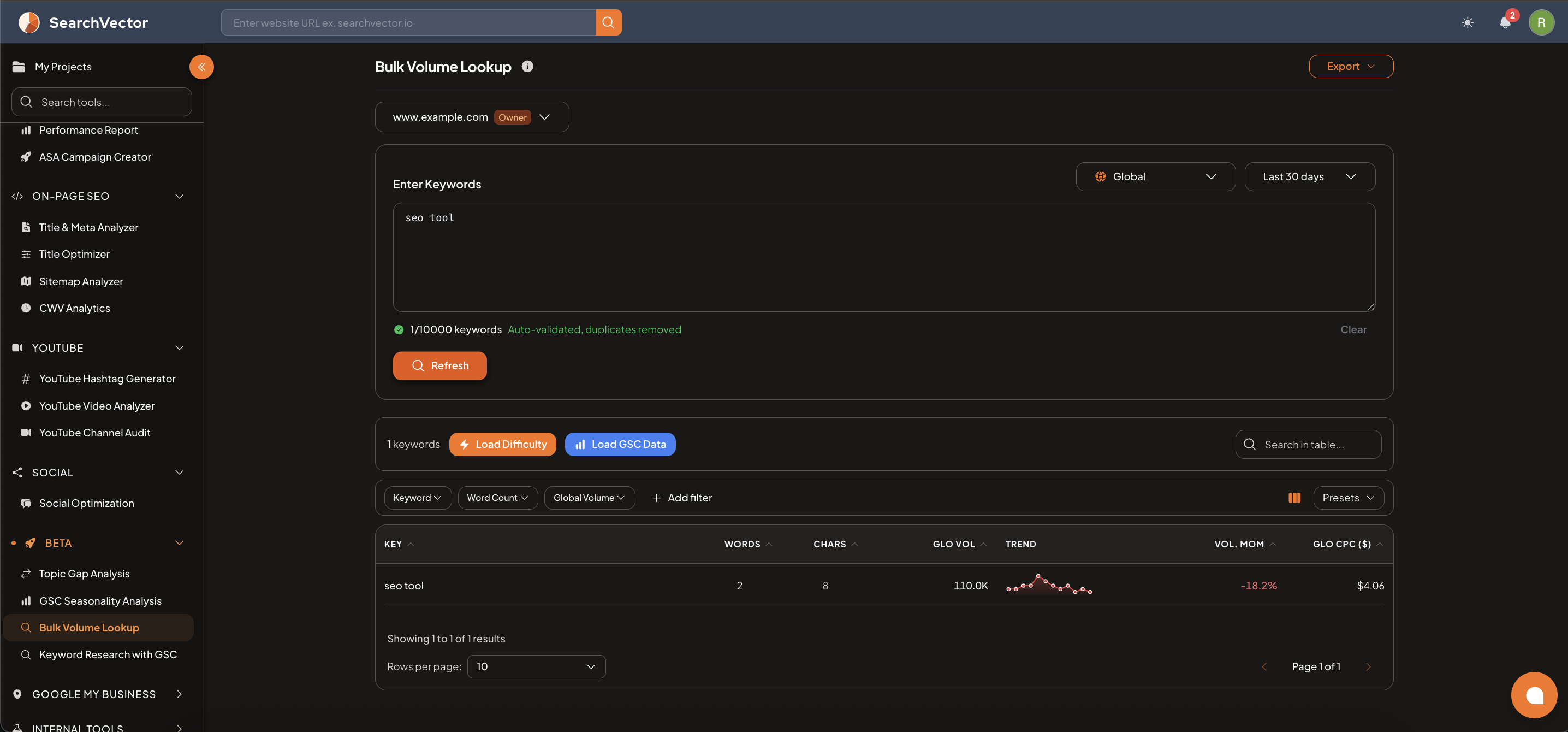
How to open
From the left sidebar, go to Beta → Bulk Volume Lookup.
How to use
- Select your domain from the dropdown.
- Select a Region (e.g., Global) and date range (default: Last 30 days).
- Paste your keywords into the Enter Keywords text area — up to 10,000 keywords.
- Keywords are auto-validated and duplicates are removed.
- Click Refresh to load volume data.
Results table
| Column | Description |
|---|---|
| KEY | The keyword |
| WORDS | Number of words in the keyword |
| CHARS | Number of characters |
| GLO VOL | Global search volume |
| TREND | Sparkline showing volume trend over time |
| VOL. MOM | Month-over-month volume change (%) |
| GLO CPC ($) | Global average cost per click |
Additional data
After results load, you can enrich each keyword with:
- Load Difficulty — fetches keyword difficulty score for each keyword.
- Load GSC Data — overlays your actual Google Search Console performance data.
Filters and export
Filter results by:
- Keyword — search within the keyword list
- Word Count — filter by number of words
- Global Volume — filter by volume range
- + Add filter — additional filters
Use Presets to save filter combinations. Click Export to download as CSV.
ヒント
Use Bulk Volume Lookup to quickly validate a large list of keywords from a competitor analysis or keyword brainstorm — paste all at once and filter to find the high-volume, low-CPC opportunities.