Title & Meta Analyzer
Analyze your page titles and meta descriptions in bulk — check length, detect missing tags, and export results for quick fixes.
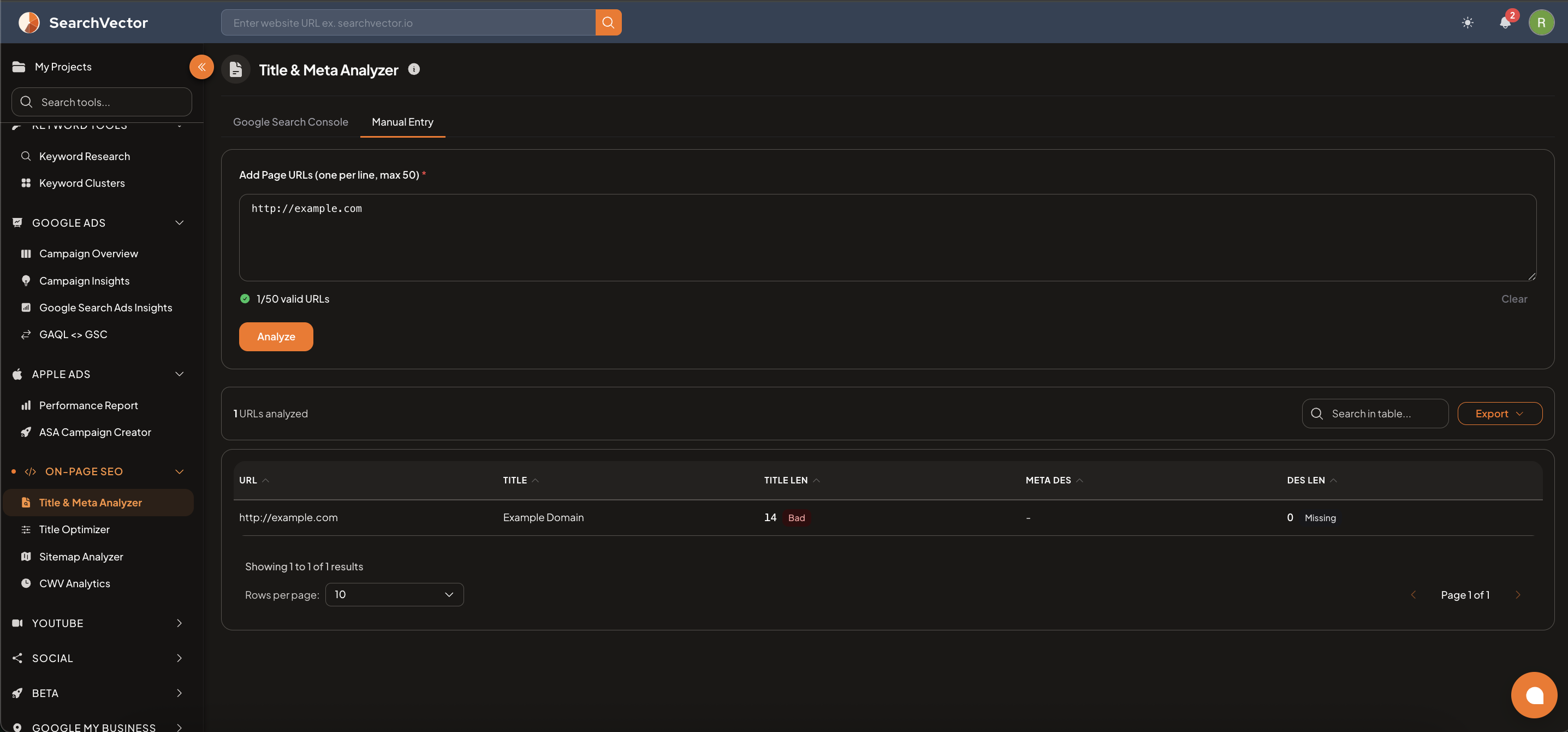
How to open
From the left sidebar, go to On-Page SEO → Title & Meta Analyzer.
Input methods
| Tab | How it works |
|---|---|
| Google Search Console | Pull URLs directly from your connected GSC property |
| Manual Entry | Paste up to 50 page URLs (one per line) |
Enter your URLs and click Analyze to run the check.
Results table
Each row shows one analyzed URL with:
| Column | Description |
|---|---|
| URL | The page URL that was analyzed |
| TITLE | The page's title tag content |
| TITLE LEN | Title character length with status label |
| META DES | The meta description content |
| DES LEN | Meta description character length with status label |
Status labels
| Status | Meaning |
|---|---|
| Good | Length is within the recommended range |
| Bad | Title or description length is too short or too long |
| Missing | No title tag or meta description found on the page |
Filters and export
- Use the Search field to find specific URLs in the results table.
- Click Export to download results as CSV.